
The short answer
Laminating, in the strict sense, means applying a protective film to one side of a print. The back is left free, often so that adhesive can be applied for mounting. Encapsulating means sealing an item in film on both sides, so the whole piece is protected and, when the film extends beyond the edges, sealed all round.
In everyday speech, “laminating” is often used for both. When you order consumables, though, the difference matters.
When to choose single-sided lamination
- The print will be mounted onto a board, wall or panel, so the back will not be seen or handled.
- You want laminate on the front and adhesive on the back in one pass, for stickers, labels or point-of-sale.
- You want to protect the image surface while keeping the piece thin.
When to choose encapsulation
- The item will be handled from both sides: menus, price cards, instruction sheets, ID cards.
- It needs to be wipe-clean all over, for example in kitchens, workshops or classrooms.
- It may be exposed to splashes, so a sealed edge is helpful.
Side by side
| Laminating (one side) | Encapsulating (both sides) | |
|---|---|---|
| Film coverage | Front only | Front and back |
| Can be combined with adhesive | Yes, in one pass with Xyron | Not usually needed |
| Best for | Mounted posters, signs, stickers, labels | Menus, cards, notices, handled documents |
| Edge finish | Trimmed flush to print | Trimmed flush or with a sealed border |
How Xyron handles both
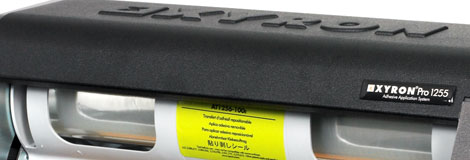
Xyron machines can apply single-sided lamination, double-sided lamination (encapsulation), adhesive only, or laminate and adhesive together, simply by changing the cartridge or roll. Because the process is cold and hand operated, there is no warm-up and nothing to plug in.
- Load the laminate cartridge or roll you need: single-sided, double-sided or laminate + adhesive.
- Check the item fits the machine width: A3 for the 1250/55, A1 for the 2500.
- Feed the item in and turn the handle steadily.
- Cut the item free from the roll, then trim the edges with a guillotine or knife.
The Xyron 2500 laminates and encapsulates edge to edge and accepts media up to 4mm thick, and works with laser, inkjet, colour and thermal prints.
Tip: If you want a sealed border, leave a margin of film around the print when trimming. Cutting right to the edge of the paper leaves the edges open, which is fine for most indoor use.
For more on why cold lamination is so useful, read cold lamination explained, or browse Xyron lamination and consumables.
Need advice?
Tell us what you are protecting and where it will be used. Call 01252 624411 or email sales@landoruk.com.